Your network,
ready in minutes.
NyxResonance streams silent disco audio across your local WiFi using standard IP multicast — no specialist radio hardware, no internet connection at the venue. Here is the router we recommend, what an existing venue network needs, and a full technical reference for IT teams.
One stream, any size crowd.
The console publishes each channel to a multicast group on the local network. Any number of phones can join the same group — so your network load stays flat whether ten people or three hundred are listening.
Console publishes
The operator console sends each channel to its own multicast group — about 160 kbps per channel, sent once no matter how many people listen.
Phones join in
Each phone subscribes to the group for the channel it wants. The network forwards one copy to every listener.
Load stays flat
Adding listeners adds no bandwidth. The only requirement: console and phones on one flat segment that forwards multicast.
The silent disco router we tested.
One inexpensive travel router that we have set up, configured, and verified end to end. A couple of settings need confirming in the router's admin panel before your first event — after that, power it on, plug in the console, and attendees connect to its WiFi.
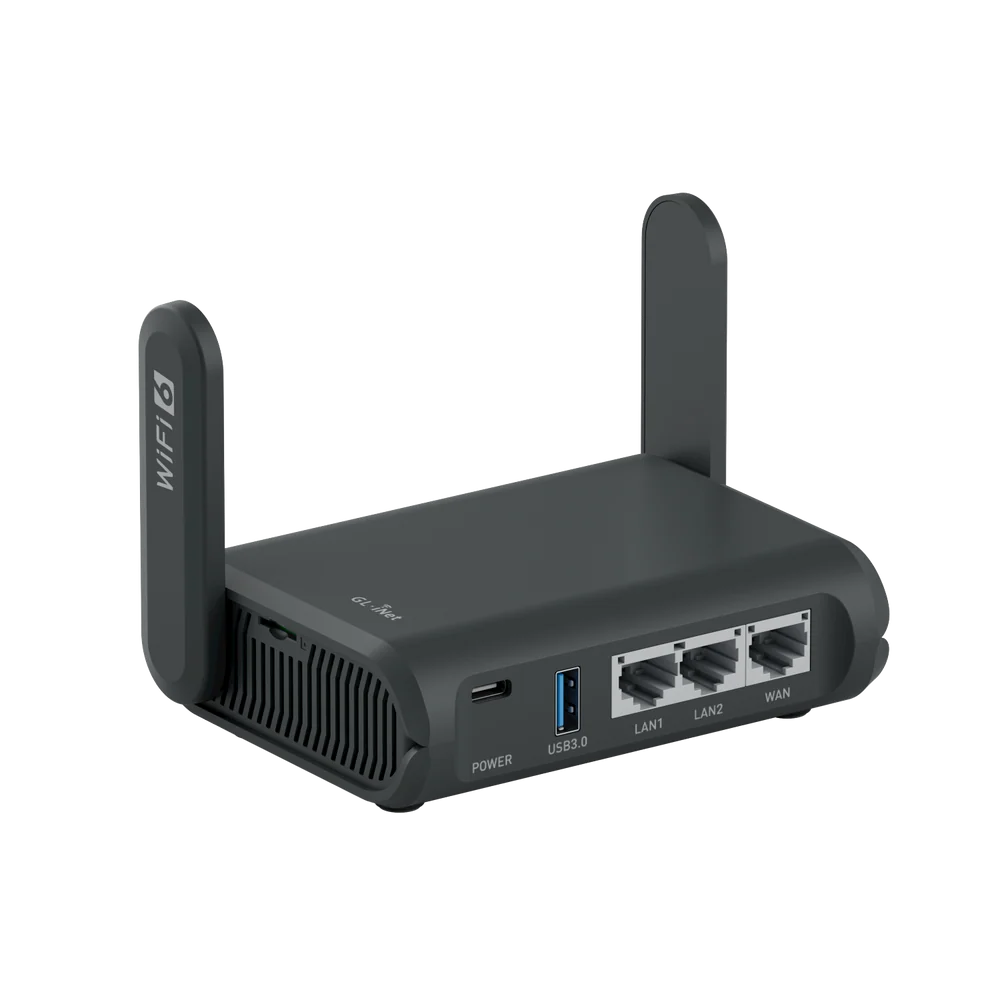
The GL.iNet Slate AX (GL-AXT1800) is the only router we have tested. It's verified against the full audio path with real WiFi listeners, but it isn't fully plug-and-play — IGMP snooping needs to be turned on, and pinning a fixed WiFi channel seems to help (still being confirmed). Other routers and access points that meet the requirements below should work, but we haven't tested them and can't guarantee they will. If you use different hardware, you do so at your own risk — test it before a live event, or join the beta as a hardware tester and we'll help.
Running on an existing venue network.
NyxResonance uses ordinary IPv4 multicast over WiFi — the same mechanism as IPTV and AoIP. To run it on a managed network, the console and every attendee device must share one Layer-2 segment that forwards multicast to wireless clients. These six points are the ones that actually break deployments, in rough order of how often they're the cause.
Guest and enterprise WLANs often enable client (AP) isolation, which stops wireless clients receiving each other's traffic — silently blocking all audio.
Console and attendees must share one subnet and VLAN. Just as important: keep that segment free of internet traffic. Multicast audio is never retransmitted, so a single phone backing up photos or streaming video can grab the airwaves in bursts and delay an audio packet past the buffer — heard as a dropout. This happens at one channel as easily as twelve.
If switches run IGMP snooping, the VLAN also needs an active querier — or snooping prunes the groups and audio cuts out after the query interval.
Where APs support it, enable multicast-to-unicast (Ubiquiti "Multicast Enhancement", Aruba/Cisco DMO) — it converts to per-client unicast at full rate.
If ACLs are in play, permit the multicast range 239.1.1.0/24 on UDP 5004 (audio), plus TCP 7420 and mDNS between clients — the console is activated and discovered over those. DHCP must cover the segment.
NyxResonance carries up to 8 channels, at roughly 160 kbps each. Listeners are free — multicast sends one copy to any crowd size — so the ceiling is channels, set by your network's basic (multicast) rate, not its headline speed. A default 2.4 GHz SSID (1 Mbps basic) leaves little headroom at eight channels; a 5 GHz SSID with legacy rates disabled (~6 Mbps basic) has room to spare.
Addresses, ports & codec.
Everything an IT team needs for firewall rules, QoS, or multicast policy. All traffic is IPv4 UDP within the local segment — none of it leaves the venue network.
| Channel | Multicast group | Transport | Codec |
|---|---|---|---|
| Blue · Channel 1 | 239.1.1.1:5004 | Multicast RTP / UDP | Opus 48 kHz stereo |
| Green · Channel 2 | 239.1.1.2:5004 | Multicast RTP / UDP | Opus 48 kHz stereo |
| Red · Channel 3 | 239.1.1.3:5004 | Multicast RTP / UDP | Opus 48 kHz stereo |
| Channels 4–8 (larger plans) | 239.1.1.4–8:5004 | Multicast RTP / UDP | Opus 48 kHz stereo |
| Service / profile | Value | Notes |
|---|---|---|
| Console discovery | 224.0.0.251:5353 | mDNS / Bonjour — _nyx-session._tcp |
| Control channel | TCP 7420 | Console activation, channel state, listener heartbeat |
| Encryption | SRTP | Every audio channel; key issued per event, never leaves the LAN |
| Bitrate per channel | ~160 kbps | Stereo Opus, in-band FEC enabled |
| Three channels | ~480 kbps | Sent once via multicast, regardless of crowd |
| Eight channels | ~1.3 Mbps | The ceiling — still one copy each, any crowd size |
| QoS marking | DSCP EF (46) | Maps to WMM Voice — honor it at the edge |
| Jitter buffer | ~160 ms default | Prebuffer absorbs WiFi variance; raise it on a busy network |
| Multicast scope | Local segment | Never routed to the internet |
Requirements for any router.
Prefer not to use the recommended router? Any access point can work if it meets every requirement below. We haven't tested other devices — treat this as the spec to check yours against, and always trial it before a live event.
239.1.1.0/24) between wired and wireless clients on the same subnet.Meeting this checklist makes a device a good candidate, but only the GL.iNet Slate AX (GL-AXT1800) has been verified by us. Validate any alternative with a full audio test — console live, multiple phones listening — before you rely on it at an event.
Pre-event checklist.
A five-minute check that catches almost every network problem before attendees arrive.
If your venue network is complex, reach out before the event and we'll help confirm the configuration. The simplest guaranteed path is always the recommended router on its own dedicated segment. Email us at support@nyxresonance.com.